- Superhuman AI
- Pages
- AI Tutorials for Learning, Research & Knowledge Work
AI Tutorials for Learning, Research & Knowledge Work
THE AI ACADEMY
How to turn any PDF into a whiteboard-style visual

Source: skirano
Go to NanoBanana and sign up. Click on Tools > Create image 🍌
Upload your PDF document and enter your prompt
Sample Prompt: “[upload PDF] Transform this PDF into a professor-style whiteboard image, include diagrams, arrows, boxes, and short captions that explain the core ideas visually. Use color highlights to make concepts easy to follow.”
Within seconds, NanoBanana will read your entire document, extract the key insights, and turn it into a clean, easy-to-understand whiteboard summary perfect for presentations, notes, or study materials.
How to talk to your book with AI

Go to ElevenReader and sign up.
Click ‘Upload your content’ > Paste URL/Write Text/Upload File > click ‘Import’
Once done, access your content in your library to have it read out loud.
To ask your book anything, click on the voice chat button in the bottom right corner of the player.
Sample Prompt: “Summarize this whole chapter of the book in 10 lines for me”
You’ll get a response within seconds with full contextual understanding.
(Tip: The feature is being rolled out to all users - if you aren't seeing the voice chat button, you can try logging out and back in)
How to create your ChatGPT master prompt to get customized responses

Go to ChatGPT and type in the prompt below:
Ask me every question you need to create my personalized master prompt.
ChatGPT will walk you through a detailed interview to understand your goals, writing style, tone, and preferred outputs.
(Pro tip: Use ‘Voice Mode’ to reply naturally and give detailed answers)
Once ChatGPT finishes, say: “Combine all my answers into one detailed prompt and turn it into a PDF.”
Upload this PDF whenever you start a new chat — it helps ChatGPT understand you instantly and deliver personalized results every time.
You can also customize responses by specifying what you need in the Personalization settings in the app.
How to find discount codes with ChatGPT
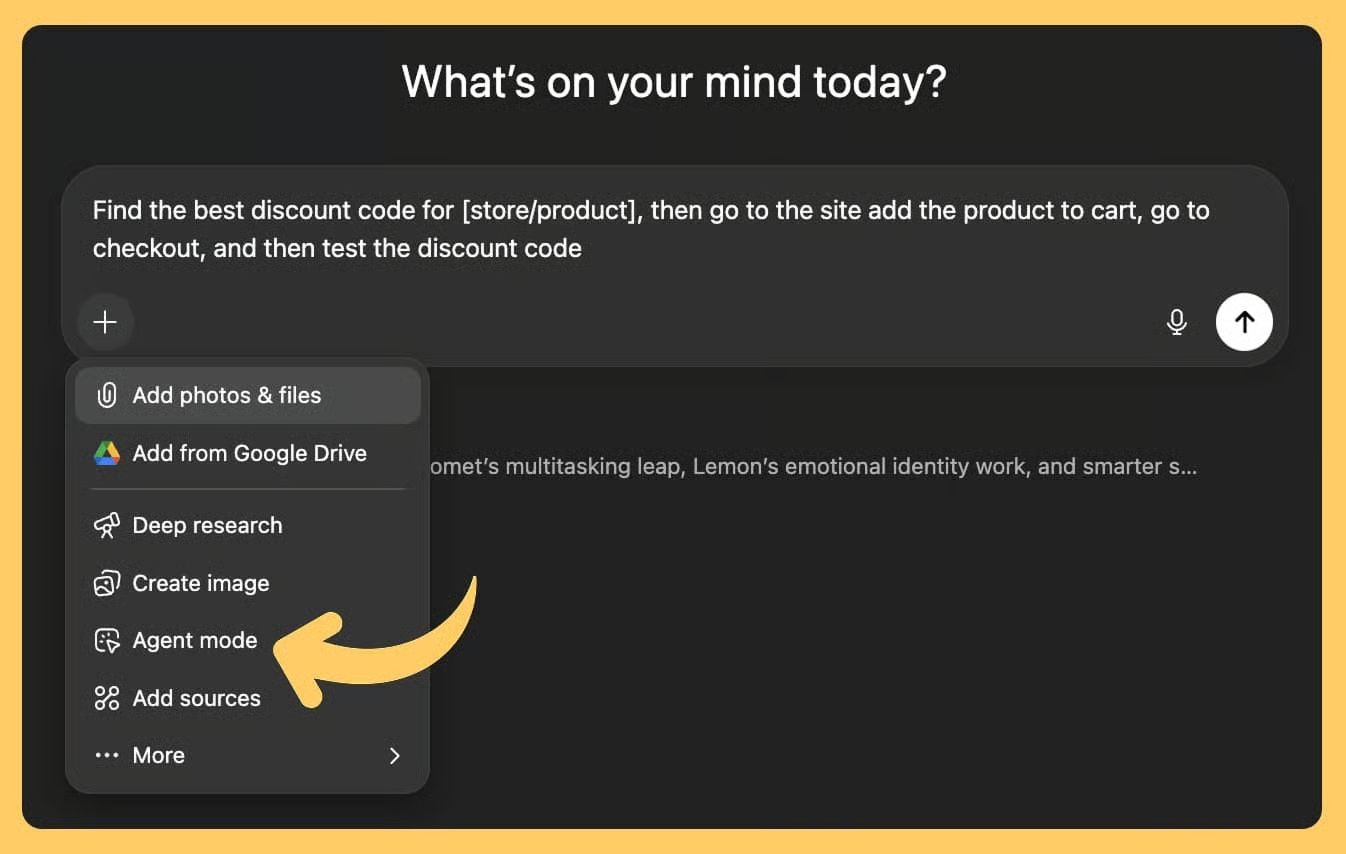
Go to ChatGPT.
Turn on ‘Agent mode’ and enter your prompt to find discount codes for your online purchase.
Sample Prompt: Find the best discount code for [store/product], then go to the site, add the product to cart, go to checkout, and then test the discount code
The agent will automatically search for active discount codes and test each one during checkout.
Once complete, you’ll receive a list of discount codes that ChatGPT has verified.
Apply your favorite code and enjoy instant savings on your purchase.
How to create diagrams for learning with ChatGPT

Go to ChatGPT > GPT Store > search for ‘Whimsical Diagrams’
Click ‘Start Chat’
Use a starter prompt or take inspiration from the starter prompts to create your prompt
Sample Prompt: “Sequence diagram for OAuth 2.0 flow.”
Whimsical will create the diagram for you in minutes
Once done, you can view, edit, and export it directly in Whimsical
With Whimsical GPT, you can create flowcharts, sequence diagrams, sitemaps, wireframes, and more — all from simple text prompts
How to turn ChatGPT into your personal tutor

Go to ChatGPT, select ‘GPT-5’ → click ‘+’ → open ‘More’ settings → toggle on ‘Study & Learn’
Choose your response mode:
Auto (default): Balanced and adaptive.
Instant: For quick, simple questions.
Thinking: For deep reasoning, explanations, or multi-step scaffolding.
Sample Prompt: Act like a math tutor. Give me a calculus problem, ask me for each intermediate step (like finding the derivative, simplifying, etc.), and only reveal the next step when I get it right.
ChatGPT will act as your tutor, reviewing each of your answers and providing hints and corrections before proceeding to the next step.
Download or save your session for future reference and study notes.